


Birthday Story templates and stickers for Instagram
Make a birthday Story in a few minutes: pick a template, add photos of the birthday person, write your wish and decorate it. LOOMY has birthday templates, three birthday sticker packs and hundreds of fonts for the wish.

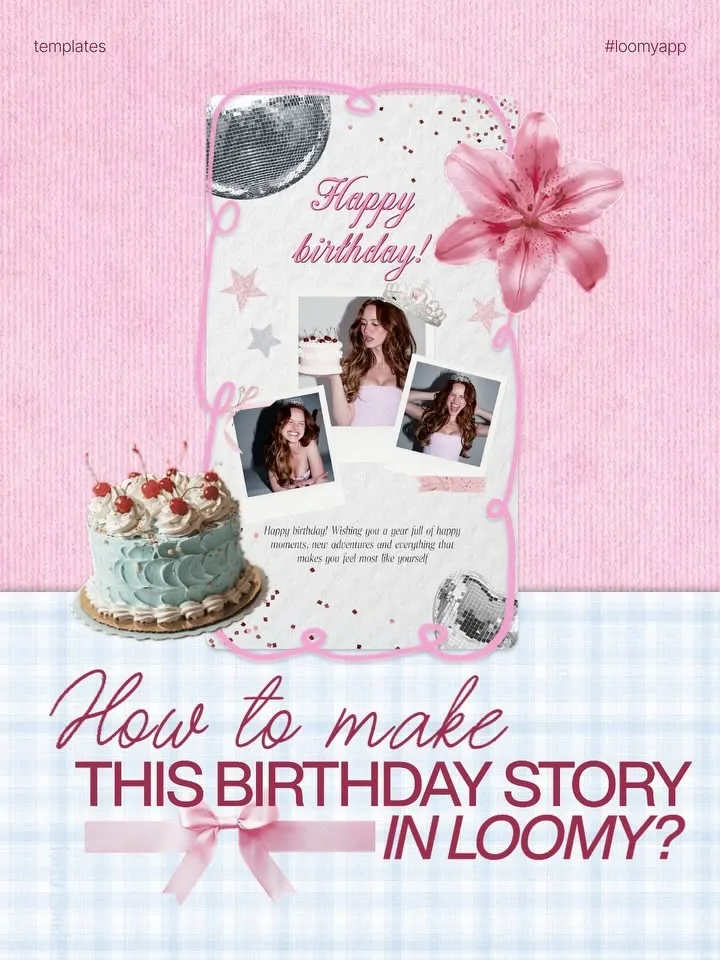
What you need for a birthday Story
| Template | A ready birthday Story with photo windows, a "Happy birthday" title, a cake and bows. Put your photos in and change the text. |
|---|---|
| Sticker packs | Birthday, Cute Birthday and Birthday 3D: three packs to decorate a birthday Story or post. |
| Fonts for the wish | Script and handwritten fonts for "Happy birthday" and a longer wish, in several languages. |
| Frames and scrapbook | Polaroid frames, tape and scrapbook elements for a collage of your photos together. |
| For a friend or for yourself | Post it on the day and tag the birthday person, or make a Story about your own birthday. |
How to make a birthday Story
- Open LOOMY and pick a birthday template in Templates.
- Put in photos of the birthday person.
- Write your wish and choose a font and color.
- Add stickers from the birthday packs, then save it and post it to your Story.
Questions
How do I make a birthday Story for a friend on Instagram?
Take a birthday template in LOOMY, add your photos together, write a short wish and post it as a Story. Tag your friend so they can repost it.
Does LOOMY have birthday templates?
Yes. LOOMY has birthday Story templates with photo windows and decorations already in place.
Are there birthday stickers?
Yes, three packs: Birthday, Cute Birthday and Birthday 3D.
What should I write in a birthday Story?
Keep it short: the name, "Happy birthday" and one line about the person. Put a longer wish in the caption or in a message.
Are the templates and stickers free?
Part of them are free. LOOMY Pro unlocks all of them.
See also: Templates · Stickers · Font pairs
Last updated November 2026.